How Justface works
From initial setup to daily access
Justface adds face scanning wherever it makes everyday life easier for users and operations. Here is a clear overview of how the solution works in practice – from scoping and setup to registration, consent, daily use, and alternative access.

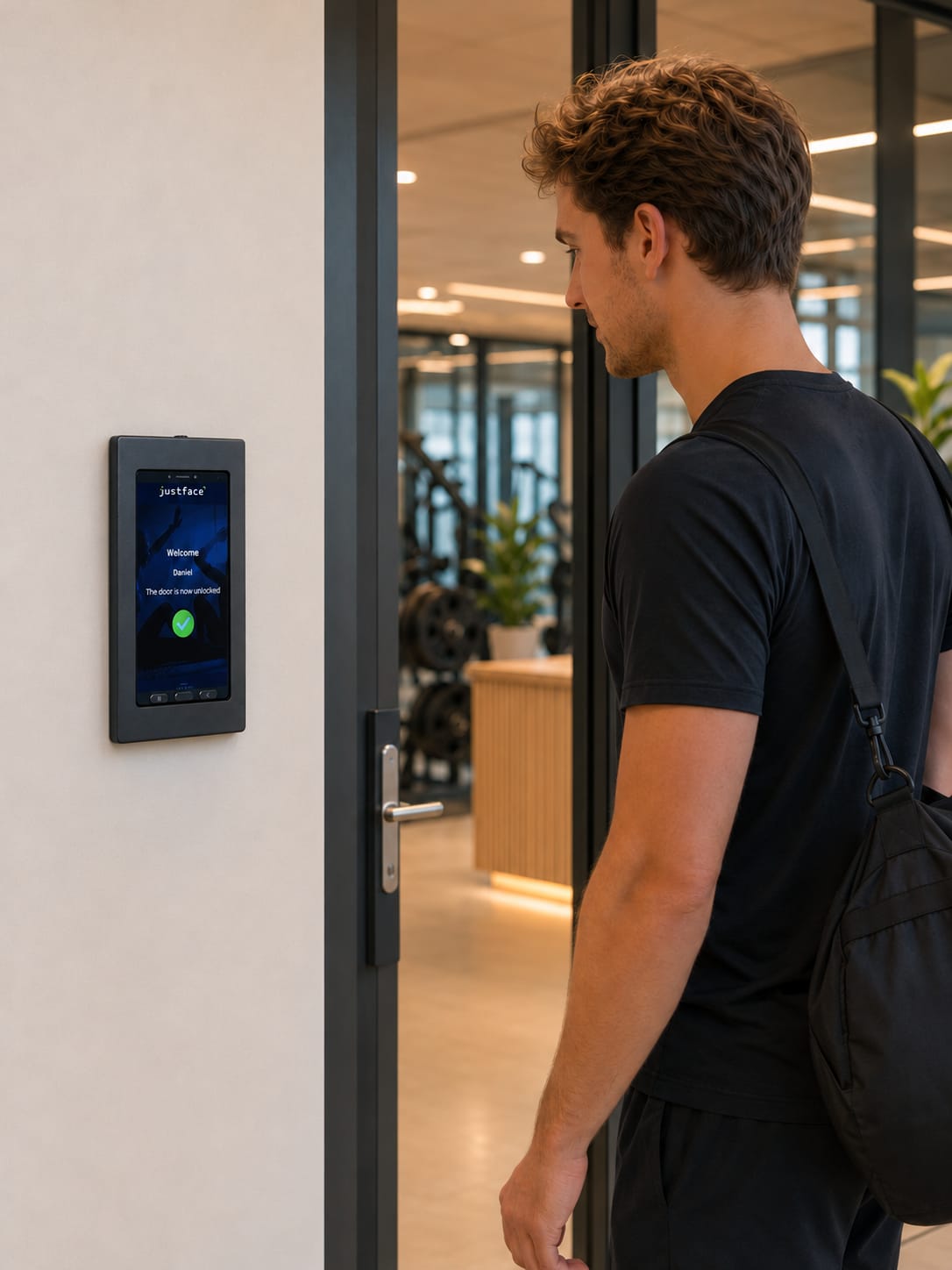
See it in practice
Justface at the entrance
See what access with face scan looks like in everyday life.
Step by step
How Justface works – step by step
We start by understanding your day-to-day operations so that Justface can be implemented where face scanning delivers the most value. The badge on each step shows who does what.
-
01
Justface + client
Scoping needs, systems, and access points
First, we review how access currently works at your facility: which entrances are used the most, where daily routines need to be simplified, and what systems you already use.
For you, this means: you don't start with the technology. You start with the areas in your daily operations where access needs to work better.
- Assessment of entrances
- Existing access, membership, and operational systems
- User groups and user journey
-
02
Justface + electrician
Setup, installation, and integration
Next, we evaluate hardware placement, integration with existing systems, and the user journey to be supported. Justface prepares the hardware and software and provides the technical documentation.
The physical installation – cabling, power, and connection at the access points – is typically handled by the client's electrician or installation partner. The solution is then thoroughly tested.
- Hardware placement
- Integration with existing systems
- Installation and testing
-
03
Client + users
Registration, onboarding, and consent
Once the setup is ready, users are introduced to the solution. They receive an invite via link or QR code and are guided through registration, consent, and uploading a facial photo.
Users need to know how face scanning is used, what they are consenting to, and what options are available if they prefer an alternative access method.
- User registers
- User receives clear information
- Consent is handled as part of the process
- Alternative access can be offered
-
04
Users
Go-live and daily access
In daily use, the user scans their face at the relevant entrance. If the user has access rights, the door, turnstile, or selected access point opens.
For you, this means: access becomes easier to use in daily life – without users having to think about the technology behind it.
- User scans face at the entrance
- Access is automatically verified
- User is granted access if authorized
- Operations benefit from a smoother access flow
-
05
Justface
Support, follow-up, and expansion
Justface follows up after launch, and you can always contact support if you have any questions.
When you are ready, we help you expand the solution to additional access points, locations, or user groups.
Roles and responsibilities
Who does what?
A clear division of responsibilities makes getting started simple. Here is how tasks are typically split between Justface, you as the client, and your electrician or installation partner.
Justface provides
- Scoping of the relevant setup
- Prepared hardware and software
- Technical materials and coordination
- Setup and integration as agreed
- Onboarding meeting and go-live
- Post-launch follow-up and support
The client handles
- Information about entrances, systems, and user groups
- Communication to users
- Decisions regarding alternative access
- Day-to-day assistance for users
- Role as data controller under GDPR
The electrician performs
- The physical installation
- Cabling and power supply
- Connection at the relevant access points
- Work on the existing access installation
Alternative access
A clear plan for all users
A great access solution must also account for situations where face scanning is not the right choice for a user, or when unexpected operational issues arise.
Therefore, implementation should outline how alternative access is handled, who assists users, and what happens if an entrance requires follow-up.
- Alternative access for users who do not want face scanning
- Agreed support workflows
- Clear process for errors or exceptions
- Alignment with your existing access procedures

Preparation
What you need to clarify before Justface is installed
It's not about having all technical answers ready from the start, but rather about understanding entrances, user groups, and daily responsibilities. The better we understand your daily operations, the easier it is to recommend the right setup.
- Which entrances should Justface be used at?
- What systems do you already use for access, membership, or operations?
- Who will be using the solution?
- How should users be informed?
- How should alternative access be handled?
- Who helps users if they have questions?

Before and after
From cards and codes to a simpler access experience
The biggest difference isn't necessarily the technology itself, but the way access is experienced in everyday life — especially where many users pass through the same locations over and over again.
Before
- Access often depends on cards, key fobs, apps, or codes
- Access media must be managed and distributed
- The operations team spends time on manual access issues
- Onboarding often requires extra explanation and follow-up
- Special situations require clear workflows
With Justface
- Users can gain access using face scan
- Access is tied to the individual
- Multiple access tasks can be handled more simply
- Users are introduced through a clear process with consent
- Alternative access can be built in from the start
Where does face scan provide the most value?
At the access points users pass by frequently
Justface can be used in places where many people pass by frequently, and where face scan can make everyday life easier for users and more streamlined for you. This could be a single entrance to begin with — or multiple locations if the solution needs to support a larger user journey.
- Doors
- Turnstiles
- Receptions
- Fitness entrances
- Employee entrances
- Unmanned entrances
- Areas with special access requirements
- Guest or member access
FAQ
Frequently asked questions about the process
The questions people typically have when assessing whether face scan fits into their daily routines, systems, and responsibilities.

Write to Sarah Rasmussen, Customer Care Consultant.
What does it take to get started with Justface?
First and foremost, it requires clarifying your most important entrances, current systems, user groups, and practical workflows. After that, we can assess hardware, integration, registration, consent, and support.
Do we need to replace our existing access system?
Not necessarily. Justface is designed to work alongside existing access and operational systems. The specific solution depends on the setup you already have.
What happens once we have chosen Justface?
You get a clear onboarding process featuring a welcome, preparation, onboarding meeting, installation, testing, user onboarding, go-live, and subsequent support.
How does registration and onboarding take place?
Users are invited via a link or QR code and guided through registration, consent, and uploading a facial image. The process can be tailored to the target audience so that it is easy to understand and simple to complete.
Do users have to give consent?
Yes. Users must receive clear information and actively opt in to face scan before the solution is put into use.
How is consent handled?
Consent is part of the introduction. The user must know what the face scan is used for, what the consent covers, and how consent can be withdrawn. At the same time, there must be a clear process for access without a face scan.
What if someone does not want to use face scan?
Then there must be an option for alternative access. The specific solution depends on your setup and internal procedures, but the user must be provided with another way to gain entry.
What happens after go-live?
Justface follows up after launch, and you can contact support if you have any questions.
Next steps
Ready to see Justface in action?
Book a meeting and get a concrete walkthrough of how Justface can fit your entrances, systems, and daily operations.